Bring out the Duck!
A few months ago, my interest was sparked by the project DuckDB. At first glance, DuckDB is an embedded database similar to SQLite, which runs within applications like browsers and email clients. However, DuckDB has a different focus when it comes to its target audience and applications.
So what is it?
DuckDB is an embedded, lightweight database designed for analytical tasks. Let's break this down:
Embedded
The database engine runs within a process, so data doesn't have to move between processes. This allows for excellent performance, even when processing large amounts of data.OLAP
It's optimized for analytical tasks, meaning it doesn't support multi-writer concurrency, but it handles large queries efficiently. Additionally, as I'll explore in this article, it offers excellent support for importing external data and exporting results.
One reason for creating DuckDB was the current state of data science and data engineering, where large clusters using technologies like Spark are used for analytics workloads. However, some benchmarks showed that a lot of performance is lost in the infrastructure of these systems, and a powerful single machine could outperform an expensive cluster.
DuckDB aims to fill this gap for small to medium-sized OLAP processing, making it easy to enter this field and doing data engineering / data science without the need to provision lots of infrastructure.
Hosting DuckDB
As I explained before, it’s an embedded database, so you need a hosting process. A lot of environments are supported at this point. Some client support is provided by DuckDB itself, while some is done by open-source contributors.
Python
Here is a simple example to get started using the database in Python.
import duckdb

duckdb.sql("SELECT 42").show()
Especially, the Python client does not just support running raw SQL queries but offers much richer support than this. Another interesting feature is that the database can directly interact with other technologies like Pandas and PyArrow.
DBeaver
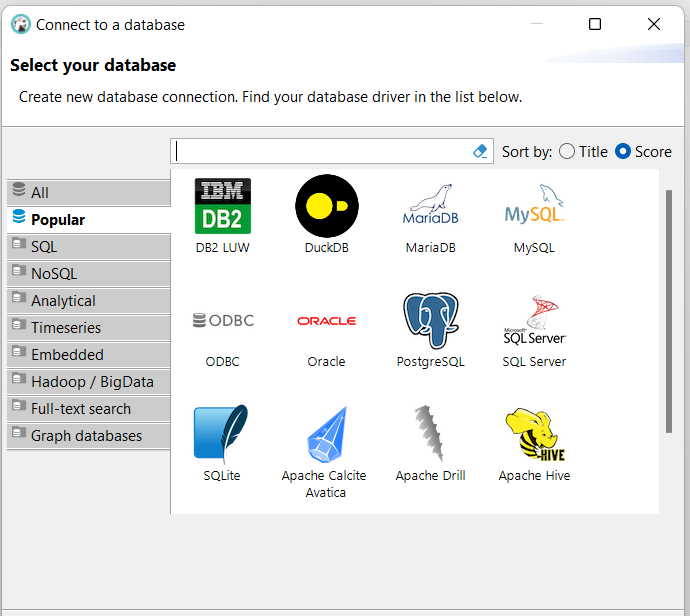
DBeaver is an IDE that supports many databases, including DuckDB. Connecting to DuckDB means hosting it inside DBeaver. You can select the database just like any other regular database:
Self-Hosted
DuckDB also comes with a command line client that self-hosts the database. But the real kicker is that it also contains a browser IDE that works similarly to a Jupyter Notebook. Download the command line for your operating system here and launch via:
./duckdb -ui
A browser will pop up, where you have an IDE that looks like a fusion between DBeaver and a Jupyter Notebook. You get all the bells and whistles like code completion—good stuff.
Uses for developers
In the introduction, I pointed out that the database is mostly targeted towards data engineers and data scientists. I’m a regular developer, so you might ask why I’m interested at all. Let me show you some use cases where I used DuckDB as a regular developer.
Analysing Kibana Logs
Kibana has a quite powerful proprietary query language; however, it does not aim to have as much expressiveness as SQL. The easiest way to query Kibana logs is by exporting Discover results to CSV, as explained here. It is also possible to export to JSON if you prefer.
Unfortunately, at the time of writing, I do not have access to a demo Kibana log, so I’ll use some other CSV to perform the queries.
Querying CSV Files
Download this CSV to your hard drive if you want to follow along with the queries.
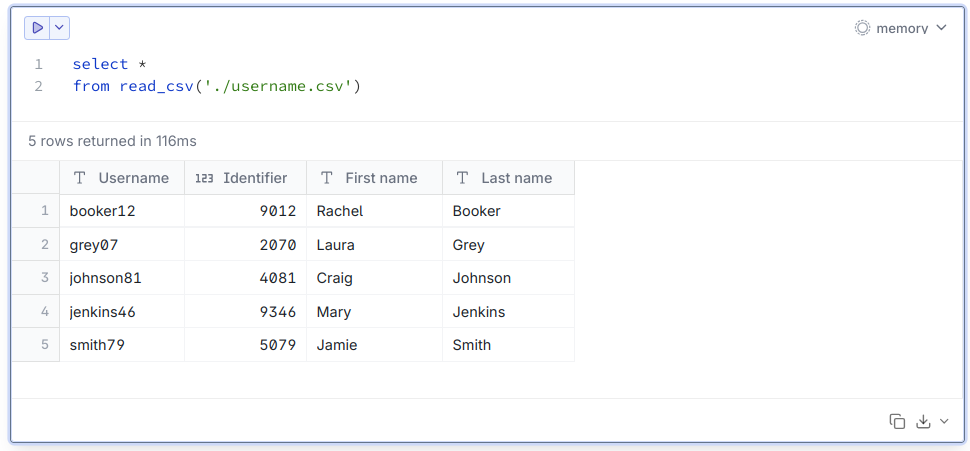
select *
from read_csv('./username.csv')
This will return the expected results from the CSV file:
Since DuckDB is intended to work with data lakes, it also supports wildcards in file names, meaning you may have whole directory structures with lots of files being fed into the query.
A concrete work example for querying CSV was analyzing a Kibana log and correlating entries belonging to the same record ID.
Querying JSON files
Querying JSON files works almost the same as querying CSV files. For example, let's take this crypto ticker and perform some queries:
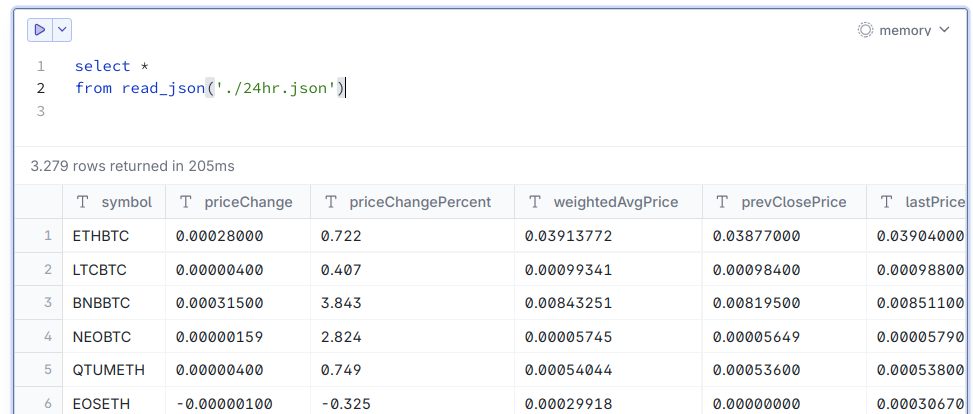
Sure, you may also use tools like jq to query JSON; however, with this, we can stay in SQL land. I used JSON querying extensively when adding an external API to our services. We did some deeper analysis on the data being provided using this technique.
The API provided a paging mechanism, so I could download all pages and then use the wildcard operator to query across all pages.
SELECT *
FROM read_json('./data*.json')
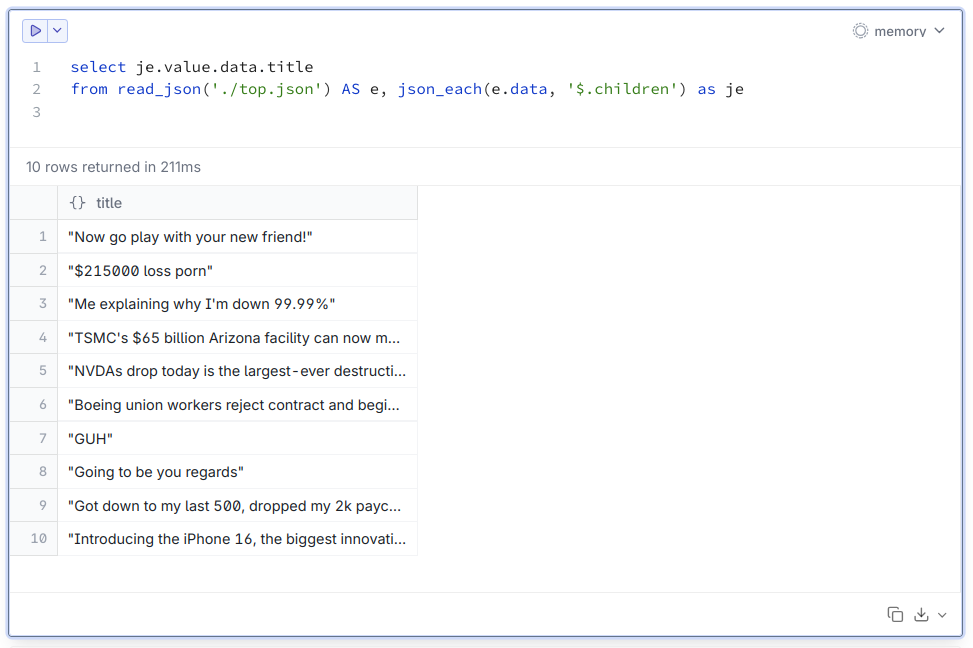
Perhaps you need to query a sub-part of a JSON object. DuckDB has you covered here! Download this sample JSON and save it to your hard drive.
The structure looks like this:
{
    "data": {
        "children": [
            {
                "data": {
                    "title": "Introducing the iPhone 16, the biggest innovation in losing your money since Robinhood"
                }
            }
        ]
}
Now let’s assume, we just want to select all title values:
Conclusion
This post, of course, just scratches the surface of what DuckDB can do for you. I hope you found some inspiration on how to integrate it into your development workflow. The development behind the database is extremely active, and there is also a commercial offering in the cloud. I’m really excited to see what the team will add to the product in the future.